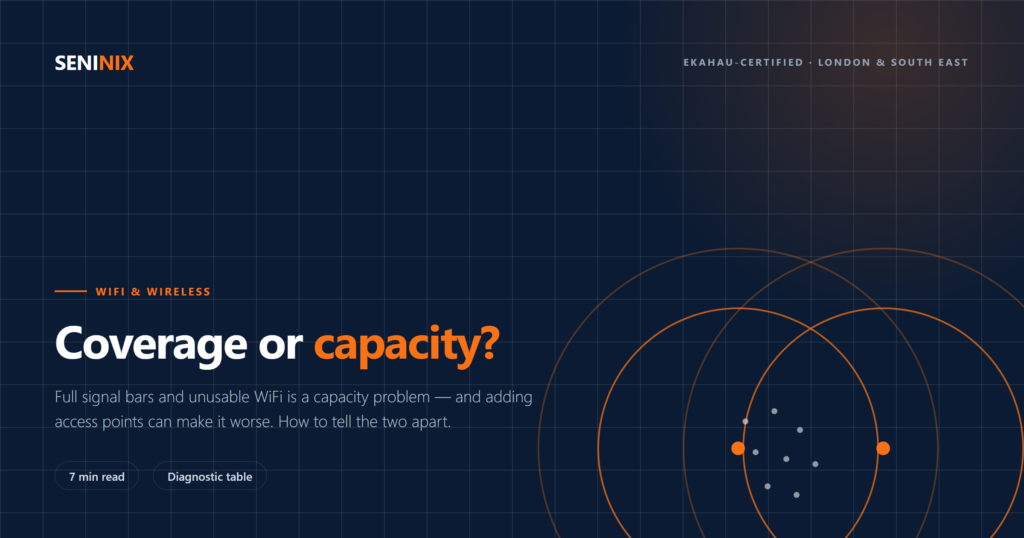
Here is the complaint we are called about most often, almost word for word: “The WiFi shows full signal but nothing works properly, and it’s worst when the office is busy.”
That sentence contains its own diagnosis. Full signal means coverage is fine. Worst when busy means capacity is not. These are two different problems with two different fixes, and adding more access points — the standard response — will sometimes make a capacity problem worse rather than better.
This article is about telling them apart before you spend money.
The two problems, stated plainly
A coverage problem is a question of reach. Somewhere in the building, a device cannot hear an access point well enough to work. The stairwell, the far end of the warehouse, the meeting room behind the plant room wall. It affects specific places, and it affects them whether the building is full or empty.
A capacity problem is a question of shared airtime. Every device in range of the same access point on the same channel takes turns transmitting. Only one can talk at a time. When there are too many devices, or when some of them are slow, the queue lengthens and everything degrades together. It affects specific times — Monday mornings, all-hands meetings, the start of every lesson.
The reason this distinction gets missed is that both present to users as “the WiFi is slow”. The signal-strength icon on a phone reports coverage only. It has no way to show you that four hundred people are sharing the airtime you are trying to use.
A quick diagnostic
Before any measurement, the pattern of complaints usually tells you which one you have:
| Symptom | Points to |
|---|---|
| Fails in the same physical spots, regardless of how busy it is | Coverage |
| Fine at 8am, unusable by 10am, fine again at 6pm | Capacity |
| Signal indicator shows weak or drops out entirely | Coverage |
| Signal indicator full, throughput poor | Capacity |
| Worst in corridors, stairwells, edges of the building | Coverage |
| Worst in the largest rooms when they are full | Capacity |
| Voice and video calls break when walking between rooms | Roaming design |
The last row is worth separating out. Calls dropping specifically while moving is usually neither of the above — it is a roaming problem, caused by cells that overlap too little for a device to hand over cleanly, or by a device holding onto a distant access point long after it should have moved on.
Why the two designs pull in opposite directions
This is the part that surprises people, and it is the reason “add more access points” is not a universal fix.
To solve coverage, you want fewer access points reaching further — higher transmit power, larger cells, wider channels for maximum throughput per client. Efficient, and it costs less.
To solve capacity, you want the opposite: more access points, each covering a smaller area at lower power, so that fewer devices share each one. Smaller cells mean you can reuse the same channels elsewhere in the building without the two interfering.
Now the trap. If you add access points to a busy space but leave them at full transmit power, every device can hear several of them, and those that share a channel must wait for each other. You have added hardware and reduced usable throughput. This is co-channel interference, and it is the most common way a well-intentioned upgrade makes things worse.
Adding access points only helps capacity if the channel plan and power levels are redesigned at the same time.
Three things that quietly consume your capacity
Wide channels. An 80 MHz channel gives a single client more throughput than a 20 MHz one, which sounds strictly better. But the 5 GHz band is finite: the wider each channel, the fewer non-overlapping channels you have to distribute among your access points. In a dense deployment the correct move is counter-intuitive — go narrower, to 40 or even 20 MHz, and buy yourself the channel reuse you need. Wide channels suit a sparse office; they work against you in a full lecture theatre.
Slow clients. Airtime, not bandwidth, is the scarce resource. A device connecting at a very low data rate occupies the channel far longer to move the same amount of data than one connecting at a high rate — so a handful of distant or legacy devices can consume a disproportionate share of a cell’s airtime and slow everyone down. Disabling the lowest legacy data rates is one of the highest-value changes available on a busy network, and it costs nothing.
2.4 GHz. There are only three non-overlapping channels in that band. In any dense environment it cannot be reused enough times to be useful, and it is also where most non-WiFi interference lives. In high-density designs the right answer is frequently to run 2.4 GHz on only a minority of access points — enough for the older devices that genuinely need it — and put everything else on 5 GHz.
Requirements, not guesses
Capacity design starts from arithmetic, not from a hardware catalogue. For each area, you need to establish:
- How many devices, not how many people. A laptop, a phone and a headset is three. Counting staff instead of devices undercounts by a factor of two or three.
- What those devices are doing. Barcode scanners sending small bursts and a room full of simultaneous video calls place completely different loads on the same access point.
- Concurrency at the peak, not the average. The design has to hold at the worst moment of the week, because that is the moment people remember.
- The oldest device that must still work. One legacy handheld can constrain the whole configuration, and it is better to know that at design time than after the low data rates have been disabled.
With those four answers, access point count and placement follow from the numbers. Without them, any proposal you receive is a guess with a price on it.
Has your network ever actually been measured?
Twelve questions, about two minutes, and at the end you will know whether you have a baseline to design from.
Where to start
If the complaints follow the clock, you have a capacity problem and more access points alone will not fix it. If they follow the floor plan, you have a coverage problem and they probably will.
Either way, the sequence is the same: establish the requirements, measure what you currently have, then design. A survey that measures the environment when it is occupied is the only way to see a capacity problem at all — which is one of several reasons a weekend walkthrough of an empty building tells you so little. We covered what a proper survey involves, and how to recognise one that isn’t, in what a professional WiFi site survey actually involves.
Seninix is an Ekahau-certified wireless practice working across Aruba/HPE, Cisco, Meraki and Juniper platforms. We have spent over twenty years designing and running enterprise network infrastructure, which means the recommendation comes from the measurement rather than from a vendor relationship.
We offer a free 30-minute infrastructure review for organisations in London and the South East. No obligation.